Free stencil maker › Tattoo stencil maker
Free Tattoo Stencil Maker
Turn a photo or reference into a printable tattoo stencil, tuned for thermal printers and transfer paper. Free, no sign-up, and nothing is uploaded.
- Free & unlimited
- No sign-up
- No watermark
- Nothing uploaded
or drag & drop it here, or paste with Ctrl+V
More options
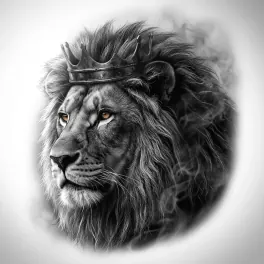
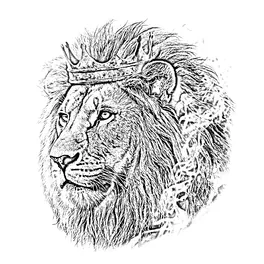
Saved! For portraits, fur and shading, Stencil AI turns the same photo into clean linework and hatching.
Too sketchy? Stencil AI redraws the same photo as clean, tattoo-ready lines.
🔒 Runs in your browser. Your photo is never uploaded.
How to make a tattoo stencil from a photo
Upload the reference
Use the sharpest version of the photo you have, cropped to the part you’ll actually tattoo.
Dial in the linework
Keep Detail low for clean outlines. Raise it only until the shadow shapes you want to map appear. Press and hold the image to check it against the original.
Make the lines print
If the lines look grey, open More options and raise Darkness, or switch on Pure black & white. Dark, solid lines transfer best.
Print and transfer
Download the PNG and print it at the size of the placement, or press Print. Then apply it with your usual stencil solution.
Printing on a thermal printer or transfer paper
Thermal stencil printer: print the PNG at 100% scale onto thermal stencil paper. With the usual thermal and hectograph papers the stencil comes out the right way round on the skin, so you don’t need to mirror it.
Freehand transfer paper: put the transfer sheet over a printout or your screen and trace the lines you want with a ballpoint. Tracing by hand is also the moment to decide which lines really belong in the stencil.
Mirroring: only needed when your method presses the printed side straight onto the skin. In that case switch on Mirror before you print, and always double-check lettering.
Sizing: measure the placement first, then print at that width. A stencil that looks fine on screen can be too dense when printed small, so lower Detail for small pieces.
What makes a good tattoo stencil reference?
- A sharp, high-resolution photo, ideally at least 1000 pixels on the short side.
- Strong light from one direction, so shadows form clear shapes.
- A plain background, or one you crop away before uploading.
- No beauty filters or heavy compression. They smear exactly the detail a stencil needs.
- For portraits: a front or three-quarter view where the eyes, nose and mouth have clear edges.
Linework vs. shading: how much belongs in a stencil?
A tattoo stencil is a map, not a finished drawing. Most artists stencil the outlines and the edges of the main shadow shapes, then shade freehand. Too many lines on the skin are hard to read once the stencil starts to wear off.
That’s why the slider starts on the clean side here. Push it right only for realism pieces where you want the shadow map on the skin. For small or fine-line tattoos, go even lower.
Free filter vs. an AI tattoo stencil
A filter can’t tell a cheekbone from a shadow. It traces every change in brightness. Stencil AI reads the photo first and draws the kind of stencil an artist would: clean outlines, plus hatching for realism.
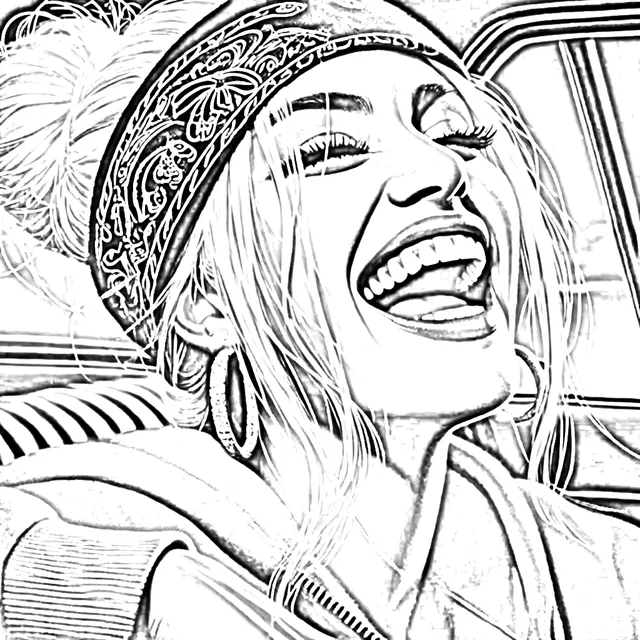
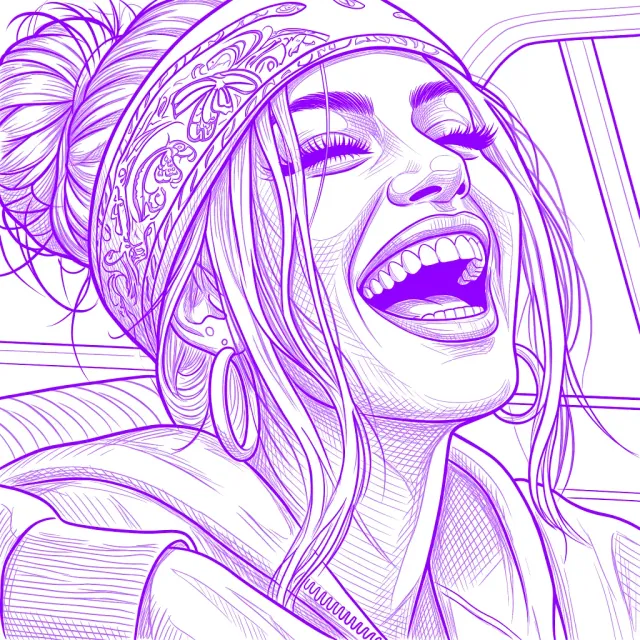
- Clean, closed outlines instead of sketchy edges
- Shadows turned into printable hatching
- Print at exact size, warp to the body, retouch
- On iPhone, iPad, Android and the web
Made by the same team. This tool stays free.
Frequently asked questions
Is this tattoo stencil maker really free?
Yes. You get unlimited stencils with no account and no watermark. It runs in your browser, so there’s no server cost to pass on.
Can I print to a thermal stencil printer?
Yes. Download the PNG and print it from your printer’s app or your computer’s print dialog at 100% scale. Switch on Pure black & white if your printer makes the lines too faint.
Do I need to mirror my tattoo stencil?
Usually not. Thermal printers and freehand transfer paper give the right orientation on the skin. Mirror it only if your method presses the printed side straight onto the skin, and always double-check lettering.
Why are my stencil lines grey or faint?
The photo is probably low in contrast. Open More options and raise Darkness, or switch on Pure black & white. A sharper, better-lit photo helps most.
How do I make a stencil from a portrait?
Use a sharp, well-lit photo and keep Detail between about 20 and 40, so the eyes, nose and mouth read without the skin texture. Portraits are where a filter struggles most; the Hatching style in Stencil AI is built for them.
Is my client’s photo uploaded anywhere?
No. The conversion happens on your device and the photo is never sent anywhere.
Can I use it on an iPad with Procreate?
Yes. Open this page in Safari, make the stencil, download the PNG and import it into Procreate to trace or clean it up. Or follow the Procreate stencil method to do it inside Procreate.
What size should I print a tattoo stencil?
The size of the tattoo. Measure the placement on the body, then print the stencil at that width. Small sizes need less detail, so lower the slider for small pieces.