Free stencil maker › Portrait stencil
Portrait Stencil Maker
Turn a photo of a face, a friend or a pet into a portrait stencil: bold black shapes to cut and spray, or lines to trace and paint. Free, no sign-up, and the photo never leaves your device.
- Free & unlimited
- No sign-up
- No watermark
- Nothing uploaded
or drag & drop it here, or paste with Ctrl+V
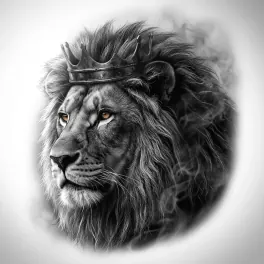
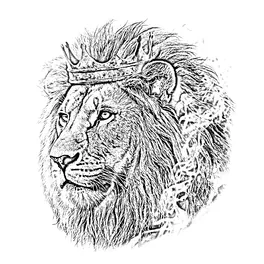
More options
Saved! For portraits, fur and shading, Stencil AI turns the same photo into clean linework and hatching.
Too sketchy? Stencil AI redraws the same photo as clean, tattoo-ready lines.
🔒 Runs in your browser. Your photo is never uploaded.
How to make a stencil of a face
Start with the right photo
Light from one side, a sharp face and a plain background. Crop to head and shoulders, so the face fills most of the frame.
Make it solid
Solid (cut-out) turns the face into black and white shapes: the classic stencil-portrait look. Raise Detail until the eyes, nose and mouth read, and stop there.
Balance light and dark
Move Darkness (under More options) until roughly half the face is black. Too much black and the face becomes a mask; too little and it fades away.
Hold it together
Eye highlights and the bright parts of a face often end up surrounded by black. Tick Add bridges automatically so they don’t fall out when you cut.
Print, cut or download
Print it and cut out the black areas, or press Download SVG for a cutting machine. For a painting or a drawing, switch to Lines instead.
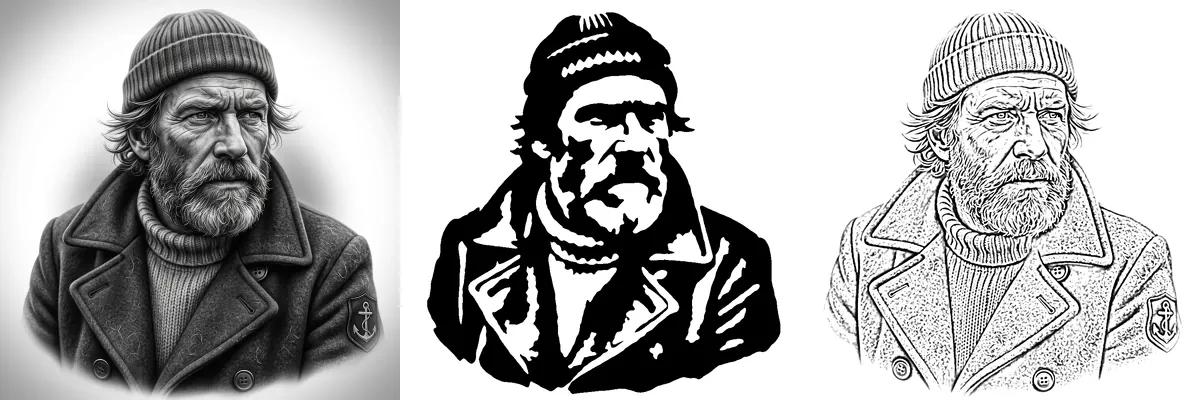
What makes a photo a good portrait stencil?
A stencil keeps only two tones, so the photo needs shadows that describe the face: under the brow, beside the nose, under the lip and along the jaw. Side light, from a single window or a low sun, creates those shadows. Flat, front-on flash removes them, and the face turns into a pale blob with two eyes.
Avoid sunglasses, hair across the eyes and busy backgrounds. Beards and dark hair work well: they become the big black shapes that hold the stencil together.
Pet portrait stencils
- Shoot at eye level, with both eyes visible and the nose pointing at the camera.
- Dark fur turns into one black shape: lower Darkness, or turn on Invert for a negative stencil.
- Light fur needs side light or a darker background, or the outline of the head disappears.
- Keep the eye highlights: they make a pet look alive, and bridges hold them in place.
- Carving instead of cutting? See the pumpkin stencil maker.
Multi-layer portraits
Most well-known stencil portraits use two or three layers. Make the same photo with different Darkness values: a low setting keeps only the deepest shadows, a higher one adds the mid-tones. Spray the lightest layer first and the darkest last, lining the layers up with marks at the corners. The spray paint stencil guide covers materials and spraying.
Want fine detail instead, like strands of hair and soft shading? A filter traces brightness, so there’s only so much it can do with a face. Stencil AI redraws the portrait as clean linework and hatching.
Frequently asked questions
How do I make a stencil of my face?
Take a photo with light from one side and crop it to your head and shoulders. Use Solid mode and adjust Detail and Darkness until your features read clearly, then print it and cut out the black areas.
How do I make a stencil of my dog or cat?
Use a sharp, eye-level photo with both eyes visible. Solid mode with low Detail gives a bold silhouette with the main features; tick Add bridges automatically so the eye highlights stay attached.
Why does the face come out as black blobs?
There’s too much shadow for one layer. Lower Darkness, raise Detail a little, or try a photo with softer light on the face.
Can I make a multi-layer portrait stencil?
Yes. Make two or three versions of the same photo with different Darkness values and cut each one as a layer. Spray from light to dark.
Can I get a portrait stencil as an SVG?
Yes. In Solid mode, press Download SVG for a cut file that opens in Cricut Design Space, Silhouette Studio (Designer Edition), Inkscape and laser software.
Is it free?
Yes. No sign-up, no watermark and no limit. The photo is processed in your browser and never uploaded.