Free stencil maker › Cricut stencil maker
Cricut Stencil Maker
Turn any photo into a stencil SVG for Cricut Design Space: clean cut-out shapes, with bridges added automatically so nothing falls out. Free, no sign-up, and the photo never leaves your device.
- Free & unlimited
- No sign-up
- No watermark
- Nothing uploaded
or drag & drop it here, or paste with Ctrl+V
More options
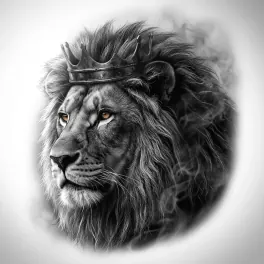
Saved! For portraits, fur and shading, Stencil AI turns the same photo into clean linework and hatching.
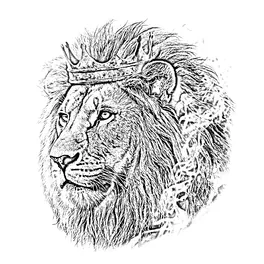
Too sketchy? Stencil AI redraws the same photo as clean, tattoo-ready lines.
🔒 Runs in your browser. Your photo is never uploaded.
How to make a stencil on a Cricut from a photo
Make the stencil
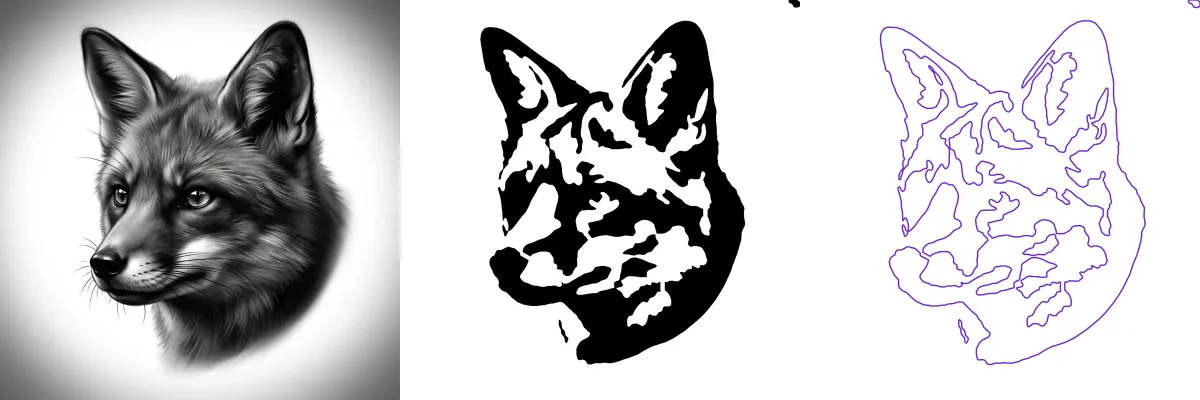
Upload the photo and keep Solid (cut-out) selected. Keep Detail low: bold shapes cut and weed cleanly, tiny ones tear.
Add bridges if the stencil has to hold together
For a reusable stencil (Mylar, stencil film or cardstock), tick Add bridges automatically so floating pieces stay attached. For an adhesive vinyl stencil you can skip them: the transfer tape keeps loose pieces in place.
Download the SVG
Press Download SVG. You get one cut file, 20 cm on its long side, with every hole and bridge in place.
Upload it to Design Space
In Cricut Design Space, choose Upload, then Upload Image, pick the SVG and add it to the canvas. Resize it with the padlock closed so it keeps its shape, then press Make It.
Cut, weed and paint
Choose the material setting, cut, then weed out the black parts: those are the holes the paint goes through.
Vinyl stencil or reusable stencil?
Adhesive stencil vinyl is for one-off projects on wood, glass, walls, mugs and signs. Cut it, weed it, lift it with transfer tape, smooth it onto the surface, peel the tape off and paint. The vinyl is stuck down, so paint can’t creep under the edges, and loose pieces don’t need bridges: the transfer tape places them for you.
Mylar, stencil film and cardstock make reusable stencils for walls, furniture, fabric and canvases. Nothing holds loose pieces in place, so turn on bridges. Use the matching material setting in Design Space and do a small test cut first.
Freezer paper is the classic for T-shirts and tote bags: cut it with the shiny side down, iron it on, paint with fabric paint and peel it off.
Tips for clean Cricut stencils
- Keep shapes bold. Pieces smaller than about 3 mm are hard to weed and tend to tear off with the transfer tape.
- Weed the black, keep the white. In this tool, black is always the part you remove.
- Don’t mirror stencils. Mirroring is for iron-on vinyl, which is cut face down.
- For glass etching, cut adhesive vinyl, weed it and brush etching cream over the openings.
- For screen printing, stick the cut vinyl onto the mesh: the weeded areas print.
- For repeat patterns, cut one stencil and line up each repeat with marks at its corners.
Silhouette, Brother ScanNCut and laser cutters
The same SVG opens in Silhouette Studio Designer Edition or higher (the free Basic Edition can’t open SVG files: use the PNG and its Trace tool instead), in Brother CanvasWorkspace for ScanNCut machines, and in laser software such as LightBurn, Glowforge and xTool Creative Space.
Painting the stencil? See the spray paint stencil guide or the stencil maker for painting. Faces need a little extra care: see the portrait stencil maker.
Frequently asked questions
Can I make a Cricut stencil from a photo for free?
Yes. Upload the photo here, choose Solid (cut-out), add bridges if you need them and press Download SVG. There’s no sign-up, no watermark and no limit, and the photo never leaves your device.
Do I need Cricut Access?
No. Uploading and cutting your own SVG files is free in Design Space; Cricut Access is a subscription for Cricut’s own image and font library.
Do I need bridges for a vinyl stencil?
Usually not. Adhesive vinyl goes down with transfer tape, so loose pieces like the middle of an O stay where they belong. Reusable stencils from Mylar, stencil film or cardstock do need bridges.
What is the best material for a Cricut stencil?
Adhesive stencil vinyl for crisp, single-use stencils on hard surfaces, Mylar or stencil film for stencils you’ll use again, and freezer paper for fabric.
My stencil has lots of tiny pieces. What should I do?
Lower Detail and download the SVG again. Fewer, bigger shapes cut faster, weed more easily and give cleaner paint edges.
Is Photo Stencil Maker made by Cricut?
No. It’s an independent free tool. Cricut and Cricut Design Space are trademarks of Cricut, Inc., which doesn’t endorse this site.